Bucket CORS Configuration — Boto 3 Docs 1.10.48 documentation
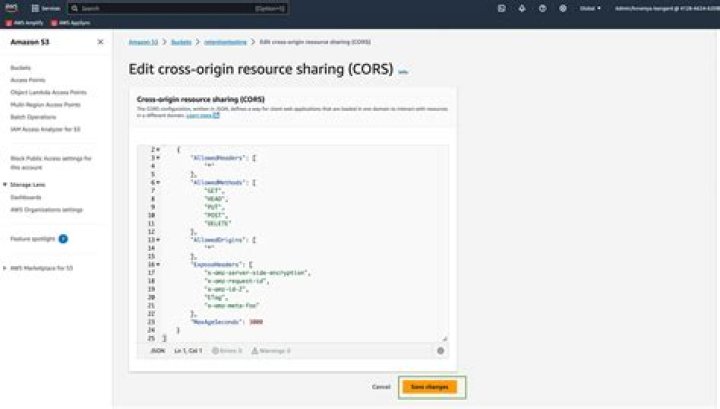
Cross Origin Resource Sharing (CORS) enables client web applications in one domain to access resources in another domain. An S3 bucket can be configured to enable cross-origin requests. The configuration defines rules that specify the allowed origins, HTTP methods (GET, PUT, etc.), and other elements.
Retrieve a Bucket CORS Configuration
Retrieve a bucket's CORS configuration by calling the AWS SDK for Pythonget_bucket_cors method.
import loggingimport boto3from botocore.exceptions import ClientErrordef get_bucket_cors(bucket_name): """Retrieve the CORS configuration rules of an Amazon S3 bucket :param bucket_name: string :return: List of the bucket's CORS configuration rules. If no CORS configuration exists, return empty list. If error, return None. """ # Retrieve the CORS configuration s3 = boto3.client('s3') try: response = s3.get_bucket_cors(Bucket=bucket_name) except ClientError as e: if e.response['Error']['Code'] == 'NoSuchCORSConfiguration': return [] else: # AllAccessDisabled error == bucket not found logging.error(e) return None return response['CORSRules']
Set a Bucket CORS Configuration
A bucket's CORS configuration can be set by calling the put_bucket_corsmethod.
# Define the configuration rulescors_configuration = { 'CORSRules': [{ 'AllowedHeaders': ['Authorization'], 'AllowedMethods': ['GET', 'PUT'], 'AllowedOrigins': ['*'], 'ExposeHeaders': ['GET', 'PUT'], 'MaxAgeSeconds': 3000 }]}# Set the CORS configurations3 = boto3.client('s3')s3.put_bucket_cors(Bucket='BUCKET_NAME', CORSConfiguration=cors_configuration)