create_bucket - Boto3 1.34.86 documentation
ACL (string) –
The canned ACL to apply to the bucket.
Note
This functionality is not supported for directory buckets.
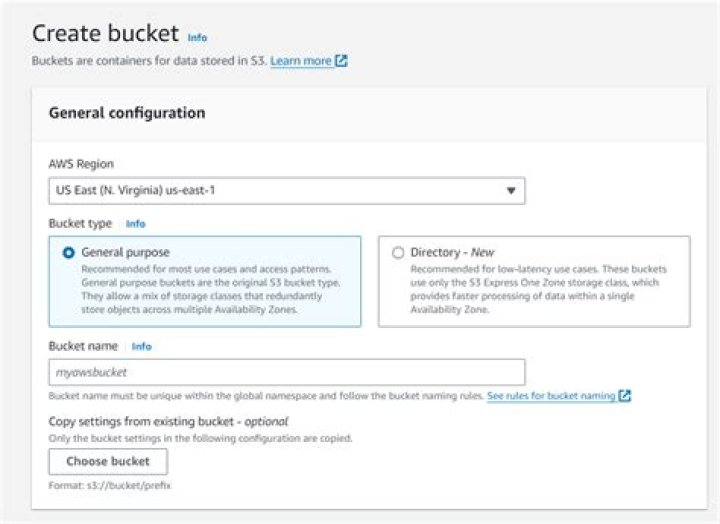
Bucket (string) –
[REQUIRED]
The name of the bucket to create.
General purpose buckets - For information about bucket naming restrictions, see Bucket naming rules in the Amazon S3 User Guide.
Directory buckets - When you use this operation with a directory bucket, you must use path-style requests in the format ``. Virtual-hosted-style requests aren't supported. Directory bucket names must be unique in the chosen Availability Zone. Bucket names must also follow the format ``bucket_base_name--az_id--x-s3 (for example, DOC-EXAMPLE-BUCKET--usw2-az1--x-s3). For information about bucket naming restrictions, see Directory bucket naming rules in the Amazon S3 User Guide
CreateBucketConfiguration (dict) –
The configuration information for the bucket.
LocationConstraint (string) –
Specifies the Region where the bucket will be created. You might choose a Region to optimize latency, minimize costs, or address regulatory requirements. For example, if you reside in Europe, you will probably find it advantageous to create buckets in the Europe (Ireland) Region. For more information, see Accessing a bucket in the Amazon S3 User Guide.
If you don’t specify a Region, the bucket is created in the US East (N. Virginia) Region (us-east-1) by default.
Note
This functionality is not supported for directory buckets.
Location (dict) –
Specifies the location where the bucket will be created.
For directory buckets, the location type is Availability Zone.
Note
This functionality is only supported by directory buckets.
Type (string) –
The type of location where the bucket will be created.
Name (string) –
The name of the location where the bucket will be created.
For directory buckets, the name of the location is the AZ ID of the Availability Zone where the bucket will be created. An example AZ ID value is
usw2-az1.
Bucket (dict) –
Specifies the information about the bucket that will be created.
Note
This functionality is only supported by directory buckets.
GrantFullControl (string) –
Allows grantee the read, write, read ACP, and write ACP permissions on the bucket.
Note
This functionality is not supported for directory buckets.
GrantRead (string) –
Allows grantee to list the objects in the bucket.
Note
This functionality is not supported for directory buckets.
GrantReadACP (string) –
Allows grantee to read the bucket ACL.
Note
This functionality is not supported for directory buckets.
GrantWrite (string) –
Allows grantee to create new objects in the bucket.
For the bucket and object owners of existing objects, also allows deletions and overwrites of those objects.
Note
This functionality is not supported for directory buckets.
GrantWriteACP (string) –
Allows grantee to write the ACL for the applicable bucket.
Note
This functionality is not supported for directory buckets.
ObjectLockEnabledForBucket (boolean) –
Specifies whether you want S3 Object Lock to be enabled for the new bucket.
Note
This functionality is not supported for directory buckets.
ObjectOwnership (string) –
The container element for object ownership for a bucket’s ownership controls.
BucketOwnerPreferred - Objects uploaded to the bucket change ownership to the bucket owner if the objects are uploaded with the bucket-owner-full-control canned ACL.
ObjectWriter - The uploading account will own the object if the object is uploaded with the bucket-owner-full-control canned ACL.
BucketOwnerEnforced - Access control lists (ACLs) are disabled and no longer affect permissions. The bucket owner automatically owns and has full control over every object in the bucket. The bucket only accepts PUT requests that don’t specify an ACL or specify bucket owner full control ACLs (such as the predefined bucket-owner-full-control canned ACL or a custom ACL in XML format that grants the same permissions).
By default, ObjectOwnership is set to BucketOwnerEnforced and ACLs are disabled. We recommend keeping ACLs disabled, except in uncommon use cases where you must control access for each object individually. For more information about S3 Object Ownership, see Controlling ownership of objects and disabling ACLs for your bucket in the Amazon S3 User Guide.
Note
This functionality is not supported for directory buckets. Directory buckets use the bucket owner enforced setting for S3 Object Ownership.