How To Find Duplicate Photos In Photos App On iPhone?
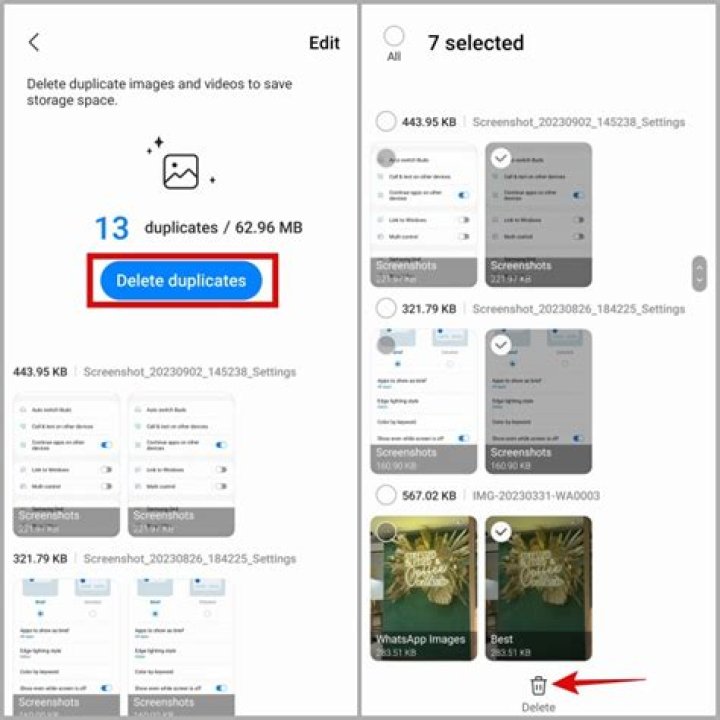
Taking photos and making memories wherever you go, is a code that a lot of people live by. Since smartphones with impressive cameras have become prevalent, we take photos and keep them stored on our devices. The behavior is encouraged by cloud storage services such as Google Photos by providing space and convenience to store photos.
However, going through your Photos app is quite painful especially when you have countless duplicate photos on your phone. No matter how careful you are with multiple devices synced and online storage services available, you bound to get duplicate photos.
Getting rid of duplicate photos is a cumbersome task, especially when you try to do it manually. Going through every photo and deciding what stays and what gets deleted from thousands of photos, is certainly time taking and exhausting.
Manual Method:
Though it is tiring, still we are mentioning the manual method to delete duplicate photos from Photos app. To do that, follow these steps:
- Locate Photos app from the home screen.
- Go to Camera Roll or another folder from which you want to delete the photos.
- Now go through the images and look for the images that you want to delete.
- Now locate Photos icon from the bottom left corner to make the photos appear in chronological order.
- You can also tap on Albums if you want to make them appear in different folders.
- Now tap on a photo, you will get trash icon at the bottom right corner, you can click on it to remove a photo.
- You can also select multiple photos to save little time. To do that you need to click Select from the top right corner of the album screen in Photos app.
- Now you can select the photos in a batch and tap on trash icon and click Delete on the prompt to complete the process.
Quite exhausting, right? Don’t worry as we can sort this out for you! There are apps available in the market which can help you delete duplicate photos in a few clicks. We have mentioned one of the best apps to delete duplicate photos in the Photos app.
Duplicate Photos Fixer
One of the best duplicate photos removal apps, Duplicate Photo Fixer which can easily clean duplicates photos on iPhone & recover invaluable space within minutes. Let’s take a look at the features of the amazing app:
- It deletes duplicates and gives you an organized and accessible photos library.
- Duplicate Photos Fixer is remarkably fast as it scans and compares a large number of photos within seconds.
- It removes duplicate and similar photos that helps retrieve valuable space on your iPhone. Also, it removes clutter and redundancy.
- It scans similar and duplicate photos and displays result in groups for easy removal.
- It lets you preview photos before deleting them for good.
Let’s see how the app works!
How To Use Duplicate Photo Fixer To Delete Duplicate Photos In Photos App?
Using Duplicate Photo Fixer is a cakewalk. You can clean duplicates in iPhone in a few clicks with the help of this app. To use the app, follow the steps:
- Download the Duplicate Photo Fixer app from the App Store on your iPhone.
- Once the installation is completed, open Duplicate Photos Fixer.
- It will ask you to select the matching level from the options such as Normal (searches photos that are similar enough), Aggressive (search photos that are similar), and Custom (Search similar photos with custom settings)
- After you have decided the matching level, tap on Search Duplicate Photos.
- It will take a few minutes to display results.
- You will get photos divided into different groups. You can go through the photos and select them to delete the duplicate or you can click on magic wand like icon, located at the bottom left corner and select AutoMark.
- It will select all the duplicate photos and if you are satisfied with the selection, you can tap on Trash icon.
- A prompt asking, “Allow Duplicate Photos Fixer to delete this Photo” will appear, tap on Delete to complete the process.
This way, you can delete duplicate photos on your iPhone with the help of Duplicate Photos Fixer without spending much of your time. We hope you find this app extremely easy to use, with tons of features and settings that allow you to get pinpoint results.
Click Here To Download Duplicate Photos Fixer Pro To Find Duplicate Photos On iPhone