Logging in to the Polar Cloud
3.1 Logging in to the Polar Cloud
Go to polar3d.com to login;see Figure 3.1.
Figure 3.1: Polar Cloud landing screen
If you already have a Polar Cloud account, click on the green“SIGN IN” button at the upper right of the screen; this will bring upa login screen as shown in Figure 3.2. (If you don’t yet have a PolarCloud account, click instead on the blue “SIGN UP” buttontowards the mid left of the screen and follow the resultinginstructions; see Section 3.1.1 for details on creating a Polar Cloudaccount.)
Figure 3.2: Polar Cloud log in screen
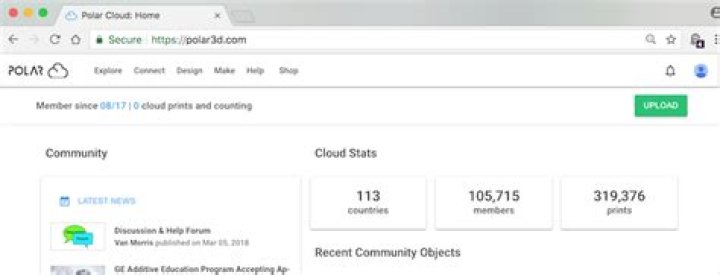
Click on the account that you’re going to use for Polar Cloudaccess. Those credentials will be used to log you into the PolarCloud, and you will see the Polar Cloud home page, of which theupper portion (on a large display) is shown in Figure 3.3. (Theupper portion of the home page on a narrow display is shown inFigure 3.9, or the entire Polar Cloud home page is shown in Figure2.2.)
Figure 3.3: Polar Cloud home page (upper portion)
To log out of the Polar Cloud, click the member icon at the topfar right of any Polar Cloud screen to bring up the accountmanagement drop-down menu, see Figure3.10, and then click the “Sign Out” tab; see Figure 3.4.
Figure 3.4: Polar Cloud Sign Out