Sending and Receiving Messages in Amazon SQS — Boto 3 Docs 1.10.50 documentation
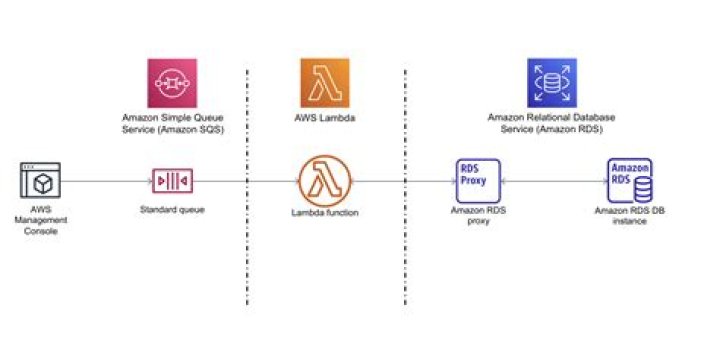
This Python example shows you how to send, receive, and delete messages in a queue.
Prerequisite Tasks
To set up and run this example, you must first complete these tasks:
- Create an Amazon SQS queue. For an example of creating an Amazon SQS queue, see Create a Queue.
Send a Message to a Queue
The example below shows how to:
Example
import boto3# Create SQS clientsqs = boto3.client('sqs')queue_url = 'SQS_QUEUE_URL'# Send message to SQS queueresponse = sqs.send_message( QueueUrl=queue_url, DelaySeconds=10, MessageAttributes={ 'Title': { 'DataType': 'String', 'StringValue': 'The Whistler' }, 'Author': { 'DataType': 'String', 'StringValue': 'John Grisham' }, 'WeeksOn': { 'DataType': 'Number', 'StringValue': '6' } }, MessageBody=( 'Information about current NY Times fiction bestseller for ' 'week of 12/11/2016.' ))print(response['MessageId'])
Receive and Delete Messages from a Queue
The example below shows how to:
Example
import boto3# Create SQS clientsqs = boto3.client('sqs')queue_url = 'SQS_QUEUE_URL'# Receive message from SQS queueresponse = sqs.receive_message( QueueUrl=queue_url, AttributeNames=[ 'SentTimestamp' ], MaxNumberOfMessages=1, MessageAttributeNames=[ 'All' ], VisibilityTimeout=0, WaitTimeSeconds=0)message = response['Messages'][0]receipt_handle = message['ReceiptHandle']# Delete received message from queuesqs.delete_message( QueueUrl=queue_url, ReceiptHandle=receipt_handle)print('Received and deleted message: %s' % message)