Verifying email identities in Amazon SES
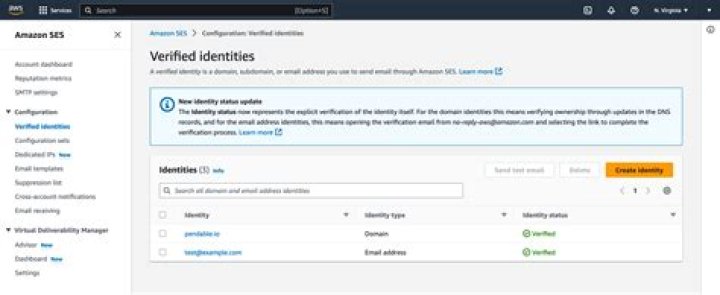
When you first start using your Amazon Simple Email Service (SES) account, all senders and recipients must be verified in the same AWS Region that you will be sending emails to. For more information about sending emails, seeSending Email with Amazon SES.
Verify an email address
SES can send email only from verified email addresses or domains. By verifying an email address, you demonstrate that you’re the owner of that address and want to allow SES to send email from that address.
When you run the following code example, SES sends an email to the address you specified. When you (or the recipient of the email) click the link in the email, the address is verified.
To add an email address to your SES account, use theVerifyEmailIdentityoperation.
Example
import boto3# Create SES clientses = boto3.client('ses')response = ses.verify_email_identity( EmailAddress = 'EMAIL_ADDRESS')print(response)
Verify an email domain
SES can send email only from verified email addresses or domains. By verifying a domain, you demonstrate that you’re the owner of that domain. When you verify a domain, you allow SES to send email from any address on that domain.
When you run the following code example, SES provides you with a verification token. You have to add the token to your domain’s DNS configuration. For more information, see Verifying a Domain with Amazon SES.
To add a sending domain to your SES account, use theVerifyDomainIdentityoperation.
Example
import boto3# Create SES clientses = boto3.client('ses')response = ses.verify_domain_identity( Domain='DOMAIN_NAME')print(response)
List email domains
To retrieve a list of email domains submitted in the current AWS Region, regardless of verification status use theListIdentitiesoperation.
Example
import boto3# Create SES clientses = boto3.client('ses')response = ses.list_identities( IdentityType = 'Domain', MaxItems=10)print(response)
Delete an email domain
To delete a verified email domain from the list of verified identities, use theDeleteIdentityoperation.
Example
import boto3# Create SES clientses = boto3.client('ses')response = ses.delete_identity( Identity = 'DOMAIN_NAME')print(response)